Free Standard Vertical Nutrition Facts label template
A blank, regulation-accurate standard vertical Nutrition Facts label template you can download as SVG or PNG, or open in the generator and fill from your recipe. The default FDA format for any package that has room for it.
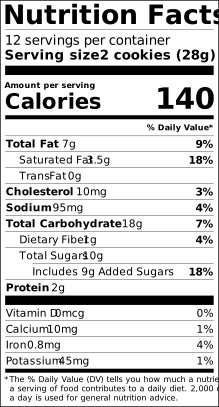
The standard vertical template
This is the standard vertical Nutrition Facts format as the FDA specifies it in 21 CFR 101.9(d): the same rendering engine that produces every label on this site drew it, so the rules, bars, indents and footnote are exactly what the regulation prescribes for this layout. It is not a lookalike drawn in a design tool.
When you may use it: The default FDA format for any package that has room for it. The Standard Vertical format page explains the condition in full and cites the paragraph; the FDA requirements hub compares all fifteen formats side by side.
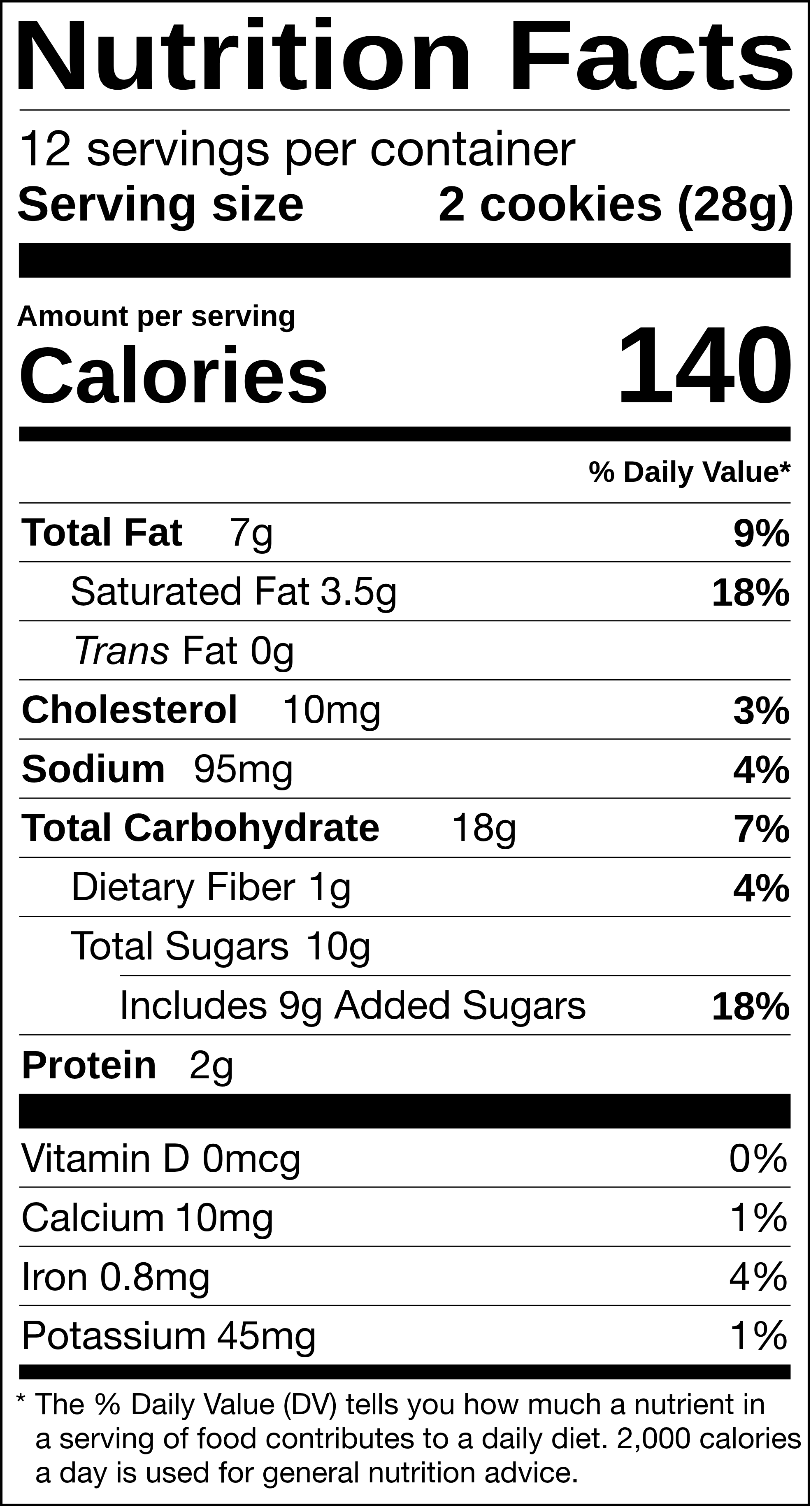
The example values are for a 28 g serving of chocolate chip cookies. Replace them with your own in the generator; it rounds and orders every nutrient to the rule.
See the FDA Nutrition Facts panel filled in with real USDA values: egg nutrition label, chicken breast nutrition label, avocado nutrition label, bacon nutrition label, milk nutrition label, banana nutrition label, peanut butter nutrition label, ground beef nutrition label, salmon nutrition label, Greek yogurt nutrition label. Every food page renders the same serving as a US, Canadian, EU and UK label and offers the FDA panel as a PNG or SVG download. Browse all foods →
What a blank template cannot do for you
A template solves the layout. It leaves you the four things the FDA actually inspects: the serving size, which is set by the reference amount in 21 CFR 101.12 rather than chosen; the nutrient values, which must come from a lab or a recognised database such as USDA FoodData Central; the rounding, which has a different increment for every nutrient (calories to 5 or 10, fat to 0.5 g, sodium to 5 or 10 mg, cholesterol to 5 mg); and the %DV, computed from the unrounded value against the 2016 Daily Values. Typing numbers into a blank template by hand is where most home-made labels go wrong.
So every template here opens in the generator with the standard vertical format already selected. Enter the recipe once, and the panel fills itself with correctly rounded, correctly ordered values, then exports as print-ready PDF, SVG, PNG or JPG. The free RACC lookup, %DV calculator and FDA label checklist cover the pieces individually if you prefer to work by hand.
Using the download
SVG is a vector file (set in Helvetica or Arial on your machine; the site's own label face is embedded only in exports from the generator): open it in Illustrator, Affinity, Inkscape, Figma or Canva, and the type stays sharp at any size. Keep the type sizes the rule fixes (no text below 8 point, the footnote no smaller than 6 point, "Nutrition Facts" larger than everything else) if you edit it. PNG is a 3x raster for Word, PowerPoint, Google Docs and marketplace mockups; it will not scale up cleanly, so use the SVG for anything that goes to print.
The template is free for commercial use on your own products. Please do not redistribute the files as a template pack; link to this page instead.
| Per 100g | |
|---|---|
| Energy | 2092 kJ / 500 kcal |
| Fat | 25 g |
| of which saturates | 13 g |
| Carbohydrate | 64 g |
| of which sugars | 36 g |
| Protein | 7.1 g |
| Salt | 0.8 g |
| Fat / Lipides | 7 g | 9 % |
| Saturated / Saturés | 3.5 g + Trans 0 g | 18 % |
| Cholesterol / Cholestérol | 10 mg | 3 % |
| Sodium | 95 mg | 4 % |
| Carbohydrate / Glucides | 18 g | 7 % |
| Fibre / Fibres | 1 g | 4 % |
| Sugars / Sucres | 10 g | 10 % |
| Protein / Protéines | 2 g | |
| Vitamin D / Vitamine D | 0 mcg | 0 % |
| Calcium | 10 mg | 1 % |
| Iron / Fer | 1 mg | 4 % |
| Potassium | 45 mg | 1 % |
*5 % ou moins c'est peu, 15 % ou plus c'est beaucoup
Other Nutrition Facts templates
Every US format has its own template page:
Or go back to all nutrition label templates, or read the FDA Nutrition Facts label requirements to see which one your package is allowed to use.