Everything a food business needs to label products
NFL is the end-to-end toolkit for building FDA 21 CFR 101.9-compliant nutrition labels, recipe to print.
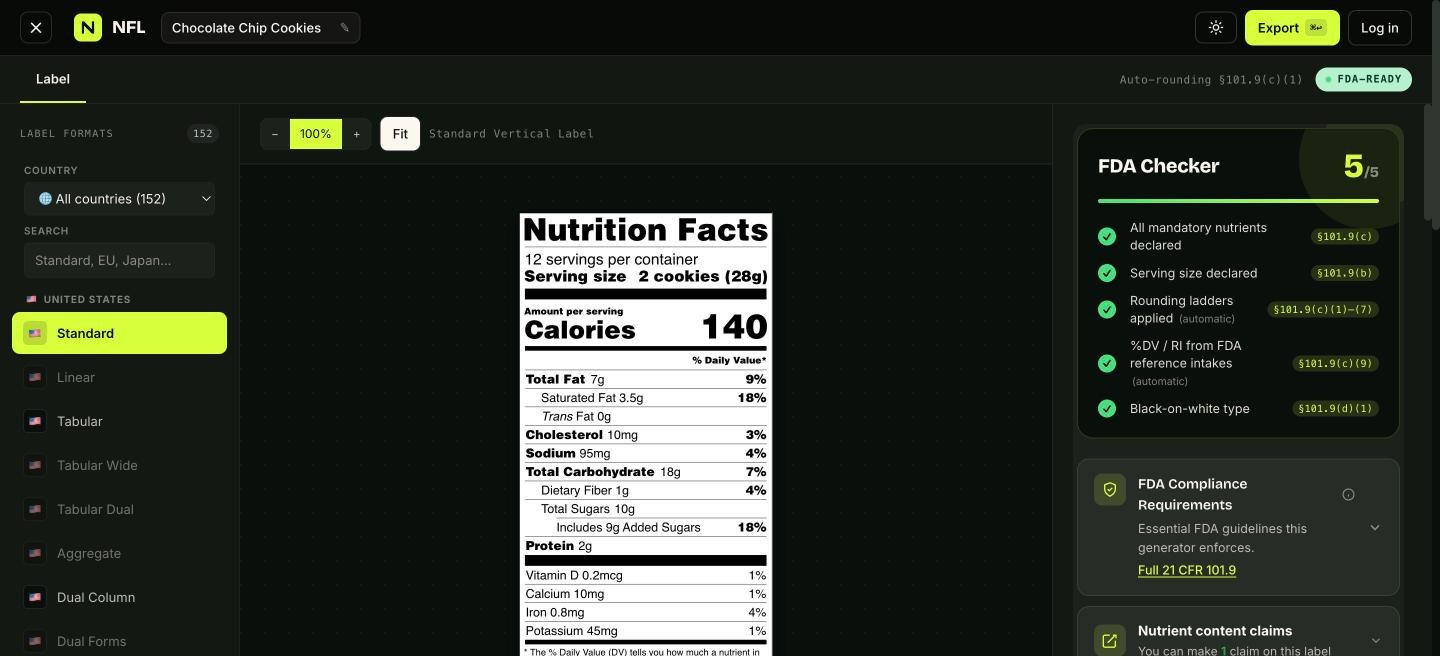
Automatic nutrient calculation
Search the USDA FoodData Central database from inside the recipe editor. Picking an ingredient attaches its full per-100g nutrient profile; the label's Nutrition Facts block recalculates every time you change an amount, unit, or waste percentage.
Need something USDA doesn't have? Add a custom ingredient with an optional manual nutrient profile; the rollup still scales it correctly using the gram density you provide.
Structured ingredient statements
List ingredients in descending weight order per § 101.4. Drag to reorder, set waste percentages, and group sub-ingredients in parentheses. A live preview shows the final printed "INGREDIENTS:" line as you edit, with a one-click override when you need to hand-write the statement.
Allergen + advisory handling
Full FALCPA + FASTER Act (sesame) coverage. Check boxes for the nine major allergens to auto-generate a "Contains:" line; add "May contain…" and facility statements that print on the same label alongside the ingredients block.
Recipe cost calculator
Enter an ingredient-level unit cost and servings per batch. The Cost tab totals cost-per-ingredient, cost-per-batch, and cost-per-serving in your chosen currency. Useful for pricing decisions and margin math.
Saved recipes in the cloud
Every recipe round-trips (ingredients, allergens, packaging, cost, and the printed label) through your account. Deep-linkable URLs (/app/<id>) mean you can bookmark or share the exact editor state with a teammate.
15 US Nutrition Facts formats, print-ready output
Standard, Simplified, Linear, Tabular, Tabular Wide, Tabular Dual Column, Side Micros, Aggregate, Dual Column, Dual Forms, Dual Columns (Per Serving / Per Unit), Bilingual (English / Spanish), Infant, Children 1–3, and Two Age Groups, each matching the FDA's specimen markup. Export PDF, PNG, SVG, JPG, EPS, or AI; pick multiple and download as a zip.