UPC vs EAN: UPC-A, EAN-13 and Code 128 Guide
Compare UPC vs EAN barcodes, UPC-A vs EAN-13 and Code 128 vs UPC. Learn which barcode to use, GTIN basics and print requirements.
If you are comparing UPC vs EAN for a retail product, the main difference is where each barcode is conventionally used: UPC-A in the US and Canada, and EAN-13 in most other markets. Both encode a GTIN (Global Trade Item Number) licensed from GS1 and are designed for point-of-sale scanning.
Code 128, specifically GS1-128, serves a different purpose. It can carry lot numbers, dates and case-level information through the supply chain rather than point-of-sale pricing. This guide compares UPC-A, EAN-13 and Code 128, explains how GTIN licensing works, and covers the print specifications that determine whether your barcode scans reliably.
Before comparing UPC vs EAN: the number comes first
The barcode is the printed symbol. The important asset behind it is the GTIN.
You license GTINs from GS1, or GS1 US in the United States, in one of two ways:
- Company prefix: a block of numbers with capacity for many products, purchased for an initial fee plus annual renewal.
- Single GTINs: individual numbers sold for a small flat fee, suitable for brands with only a handful of SKUs.
There are two important mistakes to avoid.
First, avoid "recycled" prefixes resold by third parties. Major retailers and marketplaces, including Amazon, verify GTIN ownership against the GS1 registry.
Second, never invent a GTIN. A collision with another company's product creates a delisting risk.
Each flavor, size and pack configuration needs its own GTIN. The number identifies that specific consumer product, while UPC-A or EAN-13 determines how that number is represented in the retail barcode.
UPC-A vs EAN-13 vs Code 128 at a glance
| Symbology | Encodes | Where it is used |
|---|---|---|
| UPC-A | 12-digit GTIN-12 | US/Canada retail point of sale |
| EAN-13 | 13-digit GTIN-13 | Retail POS worldwide |
| Code 128 / GS1-128 | GTIN + application identifiers (lot, dates, weight) | Cases, pallets, warehouse and traceability |
The UPC-A vs EAN-13 decision is different from choosing between either of those formats and Code 128.
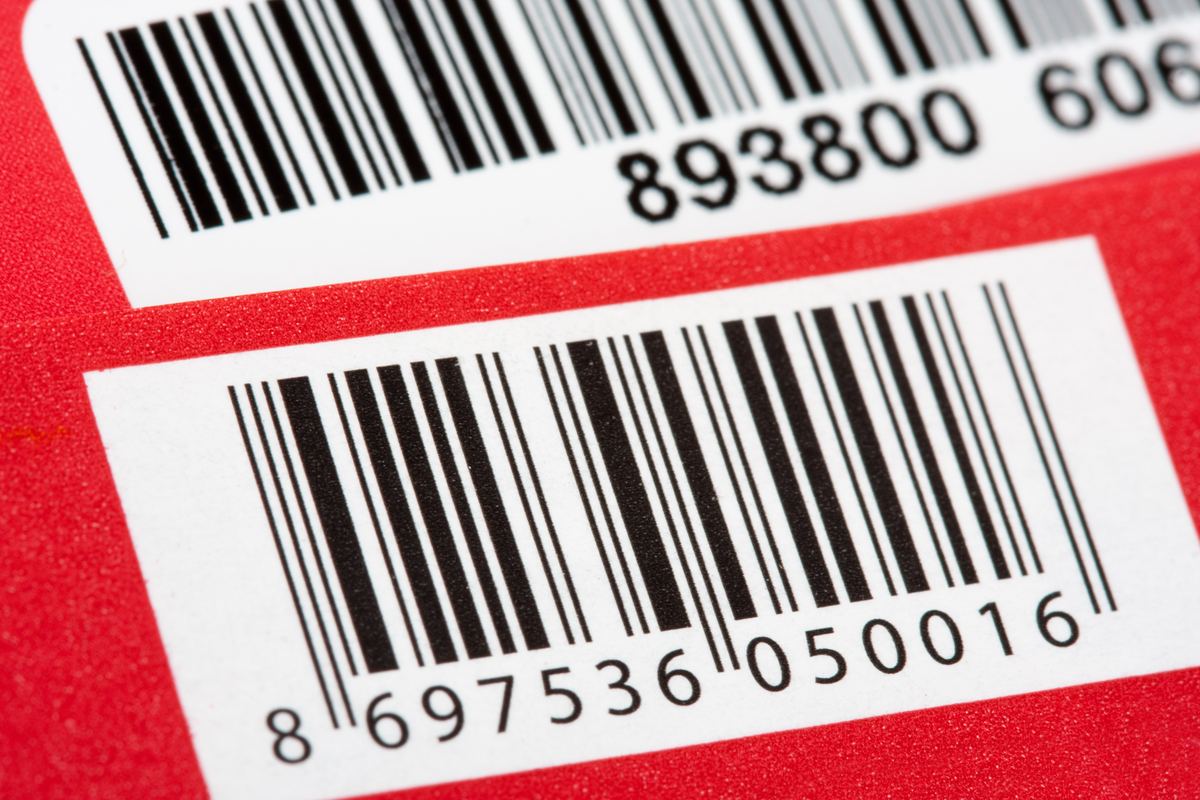
UPC-A and EAN-13 are siblings in the same EAN/UPC family. A UPC-A is effectively an EAN-13 with a leading zero, and modern scanners worldwide can read both.
If you are selling internationally from day one, EAN-13 is the safer default. If you are selling primarily through US retail, UPC-A remains the convention.
Code 128 is intended for a different job. In its GS1-128 form, it can encode structured supply-chain information such as a GTIN, lot number and expiration date.
Code 128 vs UPC for traceability
When comparing Code 128 vs UPC, think about where the barcode will be scanned and what information it needs to carry.
UPC-A is used for retail point-of-sale identification. GS1-128 barcodes on cases can carry structured information through application identifiers, including:
- AI (01) for the GTIN.
- AI (10) for the lot or batch number.
- AI (17) for the expiration date.
- Additional application identifiers for other structured data.
The lot number can be the same identifier your traceability program uses. Under FSMA's Section 204 traceability rule, covered foods require lot-level records connecting what you received with what you shipped.
If you already assign lot codes in inventory, encoding those codes in a GS1-128 case label closes the loop. The compliance side is covered in inventory and lot tracing.
UPC-A or EAN-13 therefore handles the consumer unit at retail, while GS1-128 can carry additional information through case-level supply-chain processes.
UPC and EAN print specifications that affect scanning
Choosing the correct barcode type and GTIN is only part of the job. The printed symbol also has to remain readable after your packaging goes into production.
- Size: the nominal UPC-A symbol is about 37.3 × 25.9 mm at 100% magnification. GS1 permits roughly 80–200%. Shrinking below 80% to save packaging space is a classic cause of checkout failures.
- Quiet zones: the blank margins on either side of the bars are part of the barcode symbol. Artwork that enters these spaces can cause scanning failures.
- Color and contrast: use dark bars on a light background. Never print the bars in red or orange because laser scanners read red as background. Avoid reversing the barcode with light bars on a dark background.
- Bar width reduction: flexographic printing spreads ink, so your printer will specify a BWR value to compensate. Supply vector barcode artwork so the adjustment can be applied cleanly. See print-ready PDF export.
- Placement: the conventional position is the lower right of the back panel, on a flat area away from seams, curves and crimps. Verification to ISO grade, with retailers commonly expecting grade C or better, is inexpensive insurance before committing to a production run.
- Orientation on curved packs: on bottles and cans, print the bars in "ladder" orientation, perpendicular to the curve, so the curvature does not distort bar widths beyond readable tolerance.
A barcode that is mathematically correct can still fail at checkout if its size, quiet zones, contrast, bar widths or placement are compromised during packaging design or printing.
What about QR codes instead of UPC or EAN?
GS1's global "2D in retail" migration, often called Sunrise 2027, is moving retail toward QR codes carrying GS1 Digital Link. The goal is for one symbol to support both checkout and consumer information.
During the transition, the practical approach for food packaging is to keep the linear UPC/EAN barcode for point-of-sale use and add a QR code only when you have a real use for it.
NFL generates UPC-A, EAN-13 and Code 128 symbols alongside your nutrition panel in the generator, and the wider launch checklist is covered in starting a food business.
UPC vs EAN frequently asked questions
What is the difference between UPC-A vs EAN-13?
UPC-A and EAN-13 belong to the same EAN/UPC barcode family, but UPC-A remains the convention for US and Canadian retail while EAN-13 is commonly used elsewhere. A UPC-A is effectively an EAN-13 with a leading zero, and modern scanners worldwide read both. If you plan to sell internationally from the start, EAN-13 is the safer default.
What is the difference between Code 128 vs UPC?
UPC-A is primarily a point-of-sale barcode identifying a retail consumer product. Code 128 in its GS1-128 form can carry structured supply-chain data such as the GTIN, lot or batch number and expiration date through application identifiers. That makes GS1-128 useful for case-level traceability rather than ordinary point-of-sale pricing.
Can I use one UPC for multiple flavors or sizes?
No. Every distinct consumer unit needs its own GTIN, including each flavor, size and multipack configuration. Retailer systems use the GTIN as the product's identity. Sharing one GTIN across different variants can corrupt inventory and pricing data, so each distinct configuration should be assigned its own number.
Do farmers-market or direct-to-consumer products need barcodes?
No, not as a legal requirement. Barcodes are a commercial requirement imposed by retailers rather than a government mandate. If wholesale, retail or marketplace distribution is part of your future plan, however, licensing your GTINs early can prevent the need to relabel products later when those sales channels require barcodes.
Why will my printer ask for the barcode as vector art?
Because barcode widths are measured in fractions of a millimeter, and raster images can blur the precise edges that scanners depend on. Vector artwork keeps those bar edges exact and also allows your printer to apply the appropriate bar width reduction for its printing process without having to regenerate the barcode symbol.
Generate your barcode and compliant label in one pass. Open the free generator and export both as print-ready vector art.